Saang Studio — Client design board
Peter Ryan,
fifteen steps.
Every direction we have explored for the Peter Ryan photography site, grouped by design direction and told as key steps — five per direction — with every intermediate version folded into the full record. The live demos are retired now that the site is published at pbrphotography.com; this remains as a visual archive of the exploration. All of them share the same monochrome design system (“Obsidian & Light”); they differ in theme, index concept and interaction.
Direction II
The Archive
A different reading entirely, after Jack Picone: everything at once — the dense wall, the flat story index, the quiet white room.
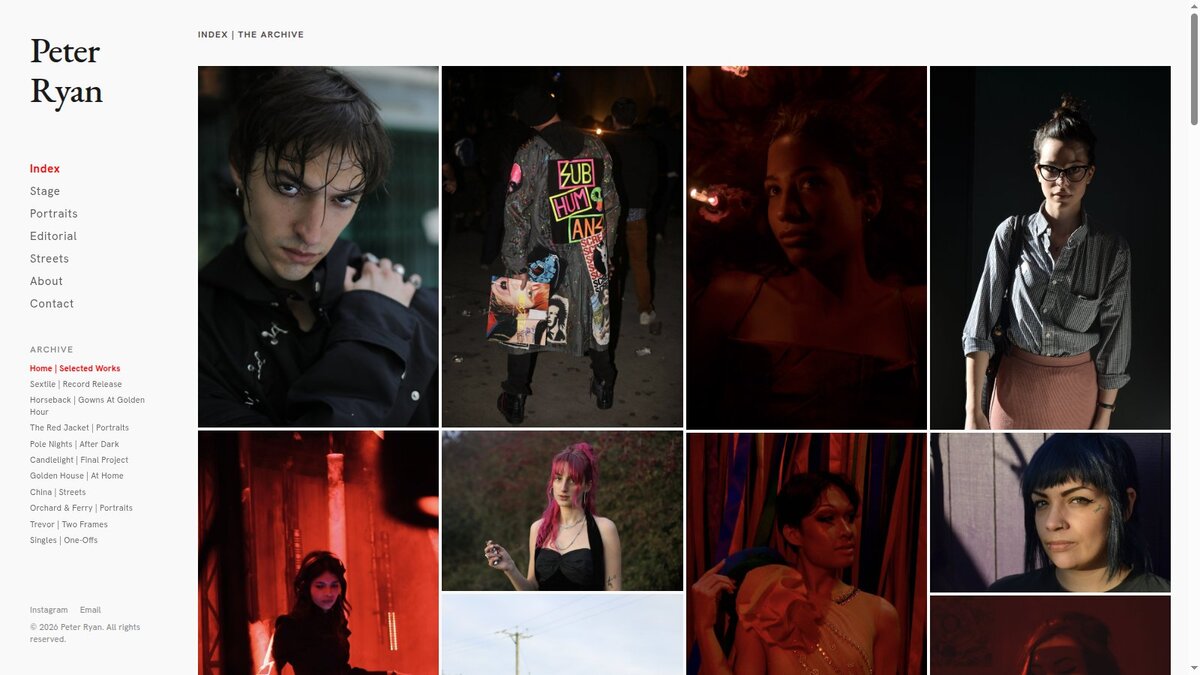
Step 1 · Version 14 — everything at once
The Archive Wall
July 12 · branch
archive-wallA documentary-archive reading of the same work, after Jack Picone: all fifty-two photographs at once as a dense wall on a quiet white room. The sidebar becomes the archive — every story listed flat ("Sextile | Record Release"), click one and the wall becomes that shoot. Click any frame and it steps forward into a full lightbox.
- Everything-at-once masonry wall, 4px gaps
- Story index in the sidebar filters the wall; red marks the current story
- Landing portrait retained — it zooms out into the wall's first cell
Direction I
The Reel
One frame at a time: the horizontal reel lineage, told in five key steps. Every intermediate version is kept in the full record below.
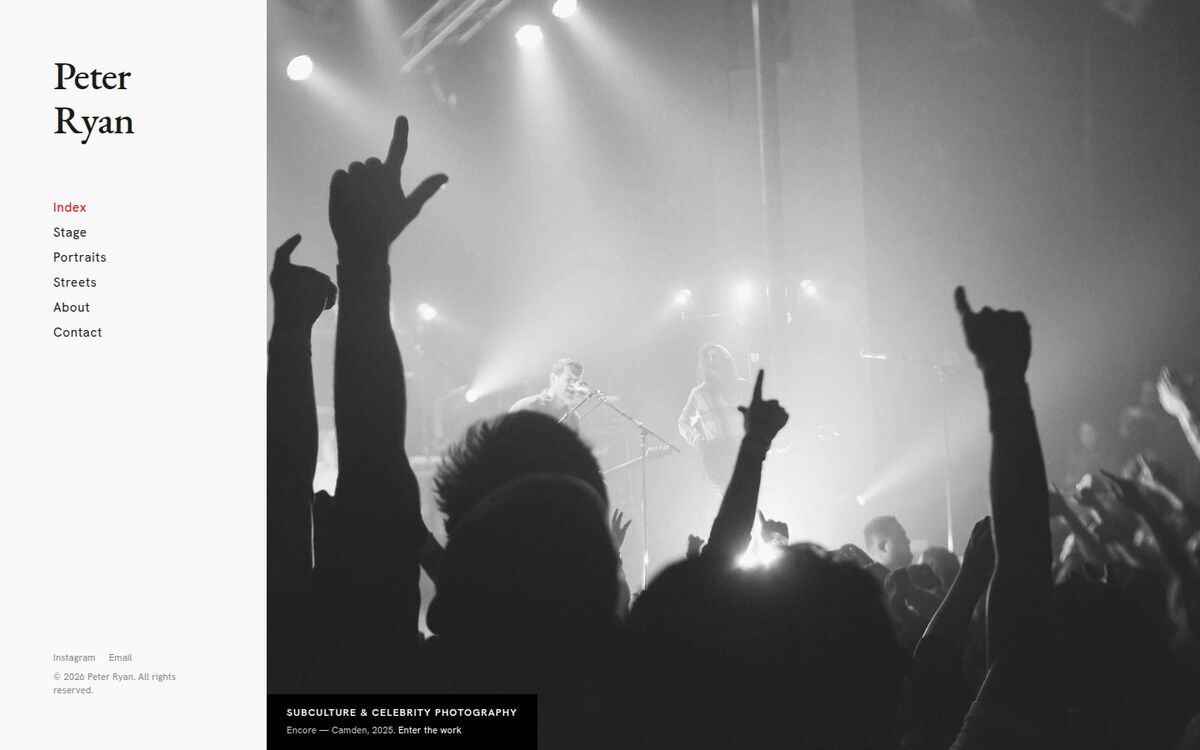
Step 1 · Version 01 — the baseline
Simple Design
July 5 · branch
simple-designThe design system played straight: crisp white gallery, EB Garamond brand mark, fixed sidebar, full-bleed hero, red reserved for the current page.
- Fixed 320px sidebar, fluid content
- Full-viewport horizontal galleries, 4px gaps
- Per-series canvas shifts (Stage runs dark)
- Smooth eased wheel scrolling
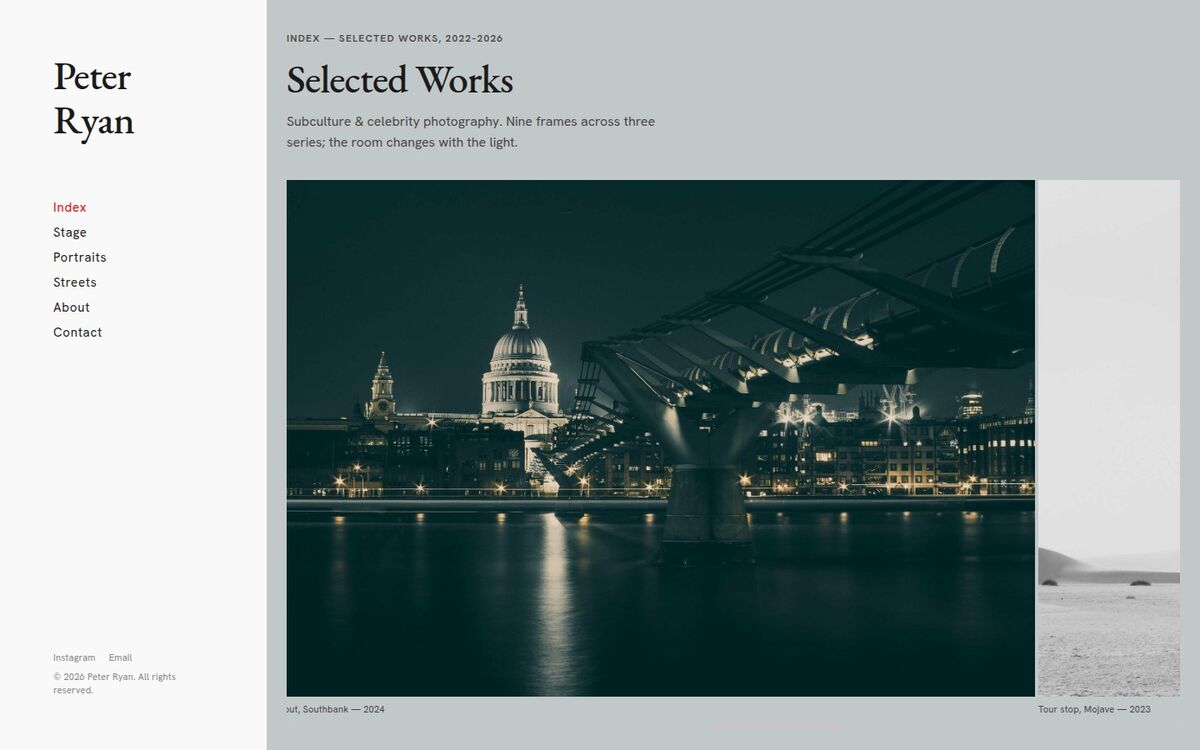
Step 2 · Version 03 — the room reacts to the work
HUE
July 5 · branch
HUEThe index becomes a horizontal reel of color frames, and the room follows the work: the background subtly tints toward the dominant color of whichever photo sits at center.
- Scroll-reactive background tint (35% blend, 900ms ease)
- Dark sidebar rail framing the tinted canvas
- Two black-and-white beats inside the color reel
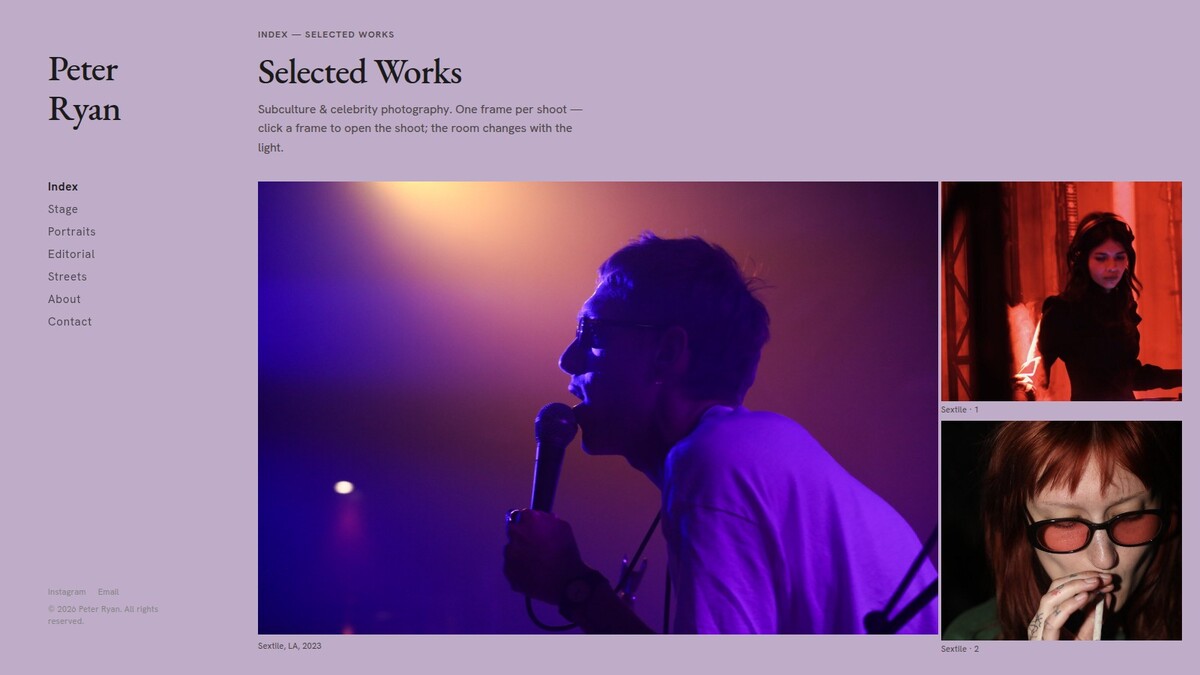
Step 3 · Version 10 — real shoots behind every frame
Albums
July 10 · branch
albumsEvery index frame now opens a real shoot album, mirroring Peter's own folders — starting with the Sextile record-release set (13 frames). Nine albums wired: Sextile, Horseback, Red Jacket, Pole Nights, Candlelight, Golden House, China Streets, Orchard & Ferry, Trevor. And the room no longer flashes dark on arrival — the first frame's tint is painted from the very first moment.
- 25 newly delivered photographs join the site
- Click a frame → fullscreen → its true album unfolds
- No black bar on load: sidebar starts in the right colour
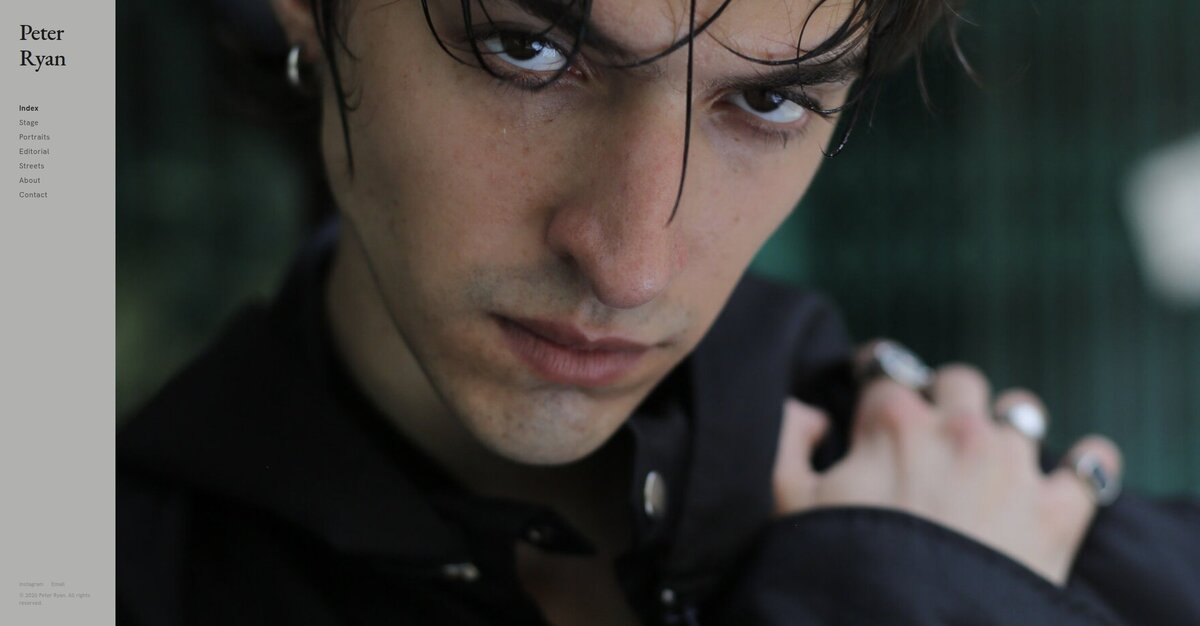
Step 4 · Version 11 — the arrival
Landing Portrait
July 12 · branch
landing-heroArrival is a single dark portrait owning the whole right side — then it slowly zooms out and takes its place as the first frame of the reel. The room holds the portrait's tone until you scroll. The sidebar slims from 320px to 240px, giving the work more of the window.
- Full-bleed portrait landing → 1.8s zoom-out into the carousel
- Plays once per visit; respects reduced-motion
- Narrower sidebar — more room for the photography
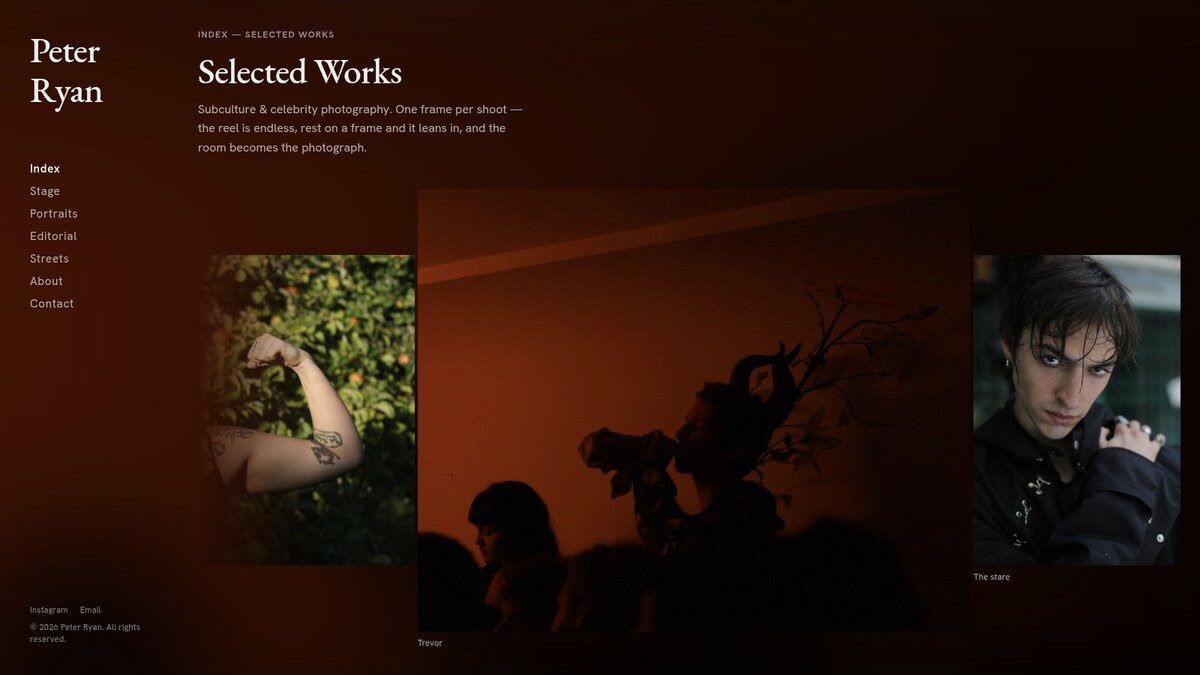
Step 5 · Version 15 — the room becomes the photograph
Ambience
July 12 · branch
ambienceLatestInstead of sampling a color, the room becomes the photograph itself: the active frame fills the whole window far past focus — dimmed, breathing, crossfading as the reel moves. The sidebar dissolves into it. Every photo carries its own atmosphere; no palette ever needs choosing.
- Full-bleed blurred-photo backdrop, 1.2s crossfades
- Frames fade into the ambience at the strip's left edge
- Endless reel, centered growth and landing portrait carried over
The full record — versions 02, 04–09, 12–13 Every intermediate iteration between the steps. Click to unfold. →
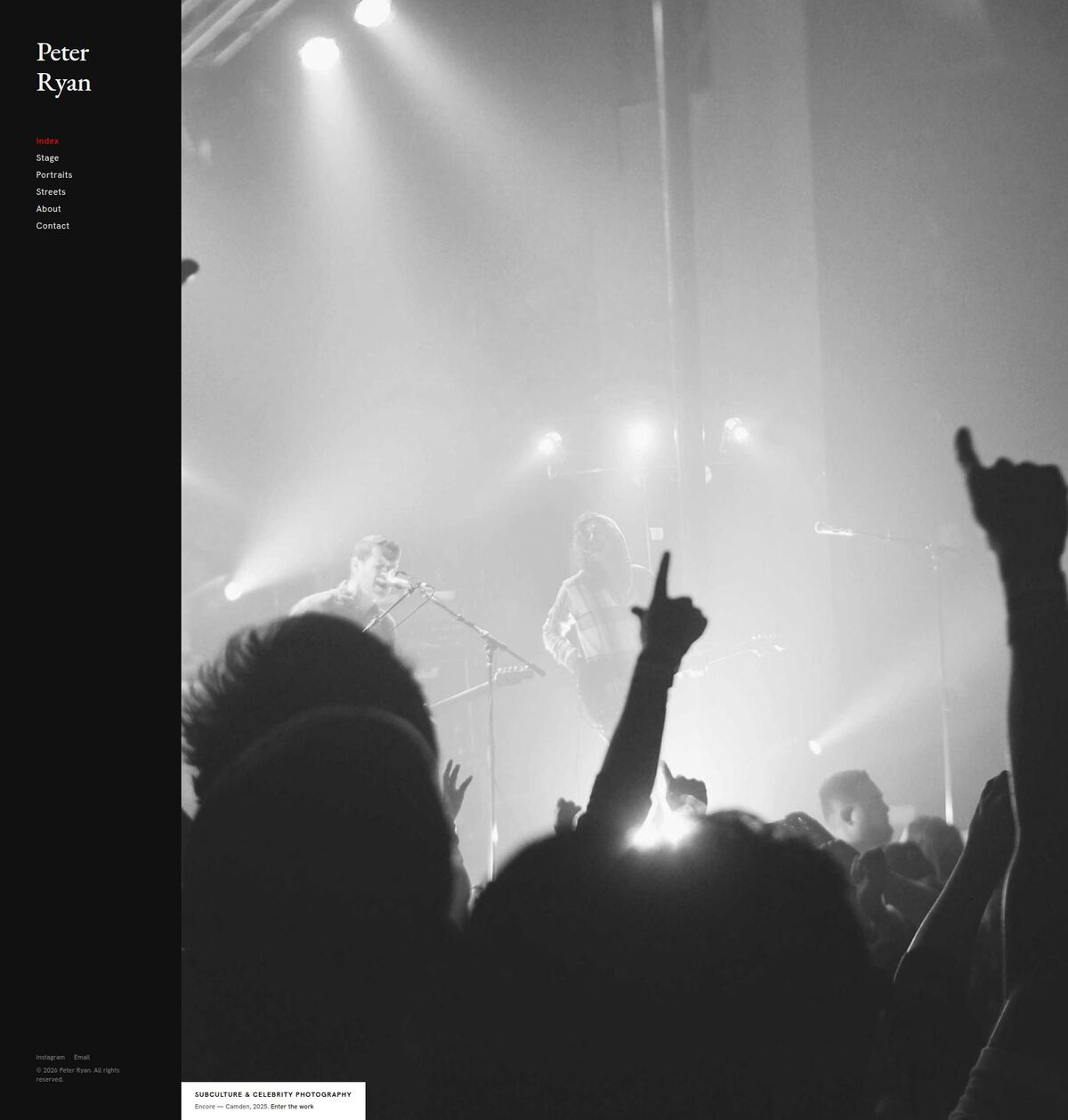
Version 02 — the inversion
Simple Design, Dark
July 5 · branch
simple-design-darkThe same bones with the palette flipped: near-black surfaces, light ink, the hero caption block inverting to white. A direct A/B against version 01.
- Full dark token ladder (#111 surface)
- Series canvases become dark shades — Stage on pure black
- Identical layout and interactions to 01
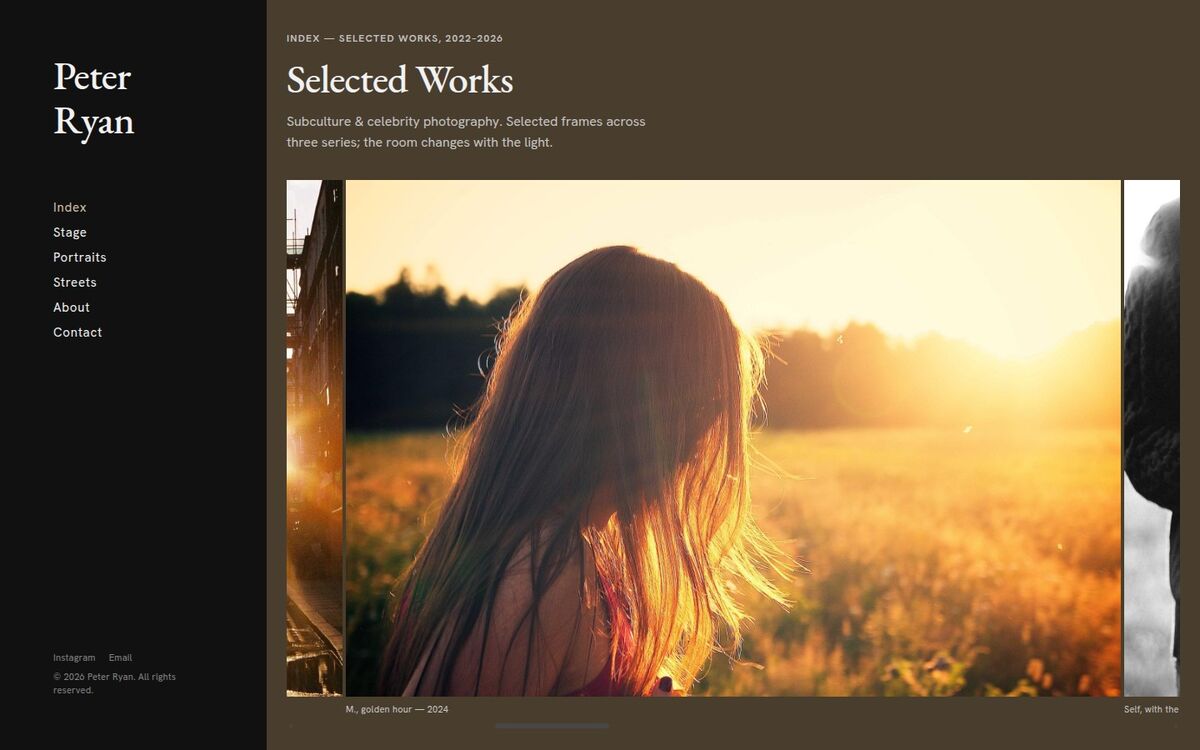
Version 04 — the color reel, after dark
HUE, Dark
July 5 · branch
HUE-darkVersion 03 in a dark room: photo hues blend into a near-black surface, and the active “Index” link in the sidebar takes on the current photo’s color instead of red.
- Hue tint blended into the dark canvas
- Hue-matched active navigation indicator
- Red returns on every other page
Version 05 — the interactive index
Album Viewer
July 6 · branch
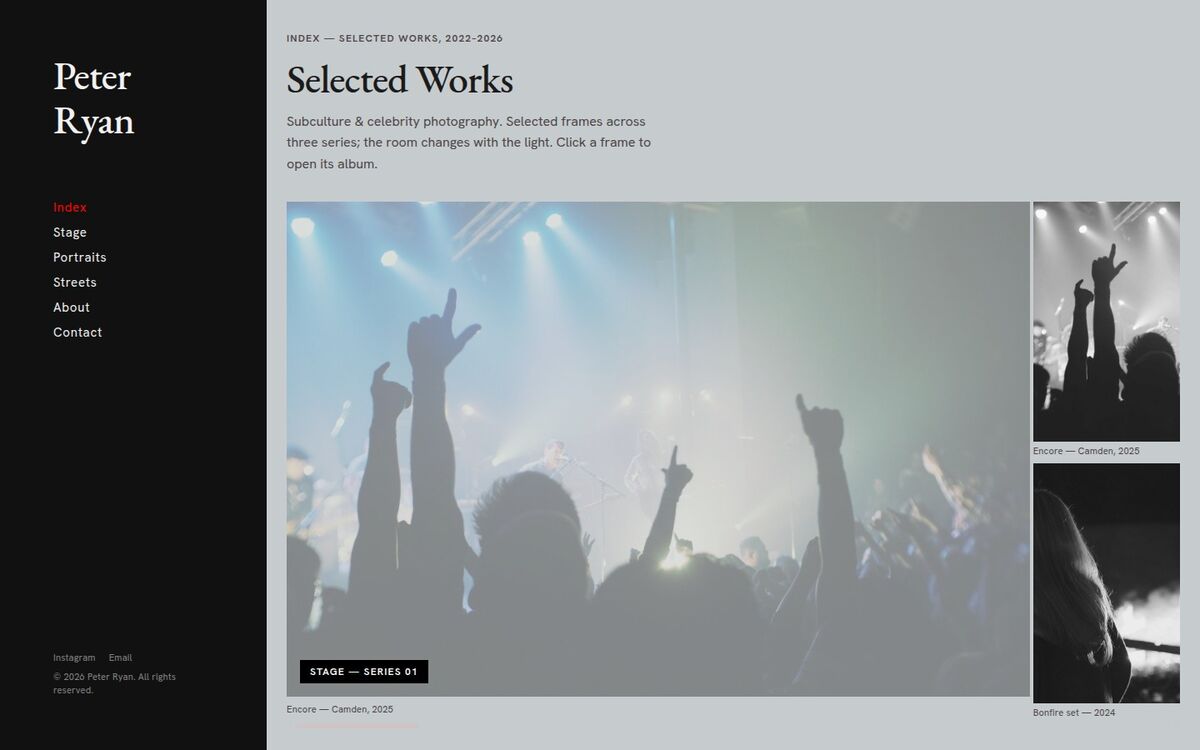
album-viewerBuilt on the HUE reel: click any frame and it becomes an album cover — it dims, a series label appears, and the frames after it repopulate with that album, stacked two per slot. Click again to come back.
- Click-to-expand albums inside the index strip
- Two-photo vertical stacks for album frames
- Canvas holds the album cover’s tint while open
Version 06 — the cohesive dark edition
Obsidian
July 6–8 · branch
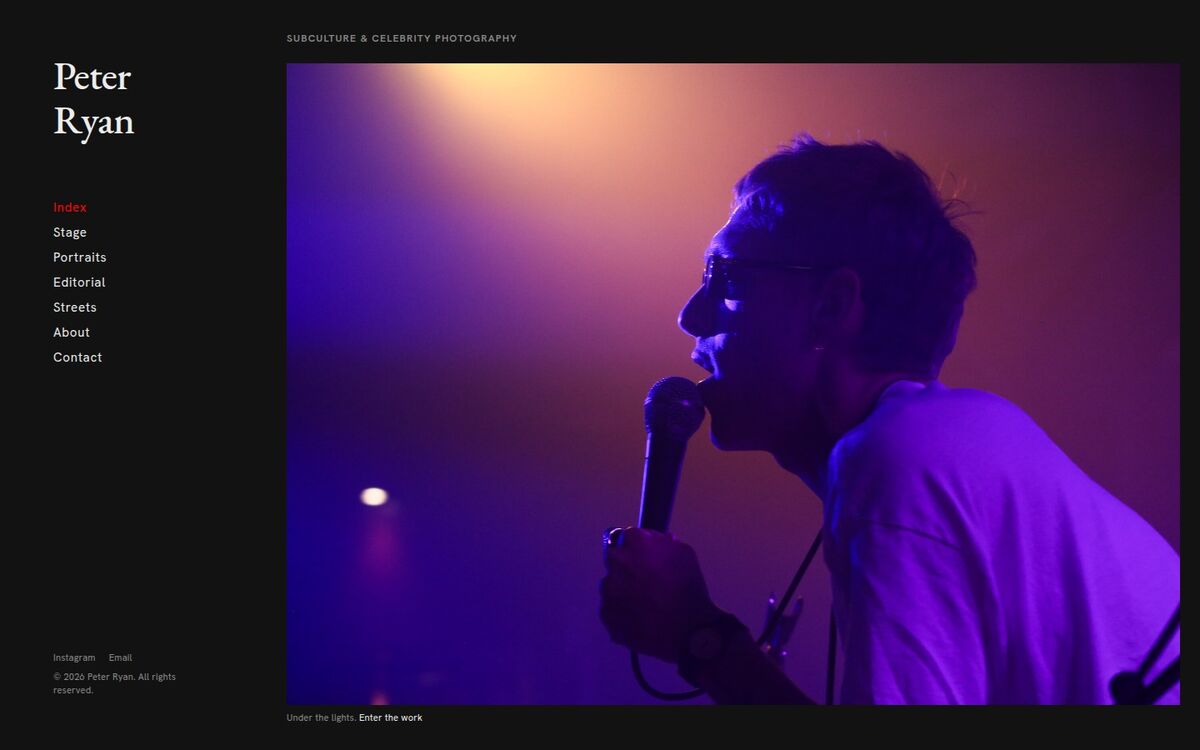
obsidianOne continuous near-black surface with no seams: the sidebar and every page share the same canvas, the hero hangs like a framed print, and galleries stack two photos per column. The first version carrying Peter’s real client photographs — four series including the new Editorial.
- Single #121212 surface, no canvas shifts
- Two-photo stacked contact-sheet galleries
- 28 real photographs: Stage, Portraits, Editorial, Streets
Version 07 — the color reel, for real
HUE, Real Photography
July 9 · branch
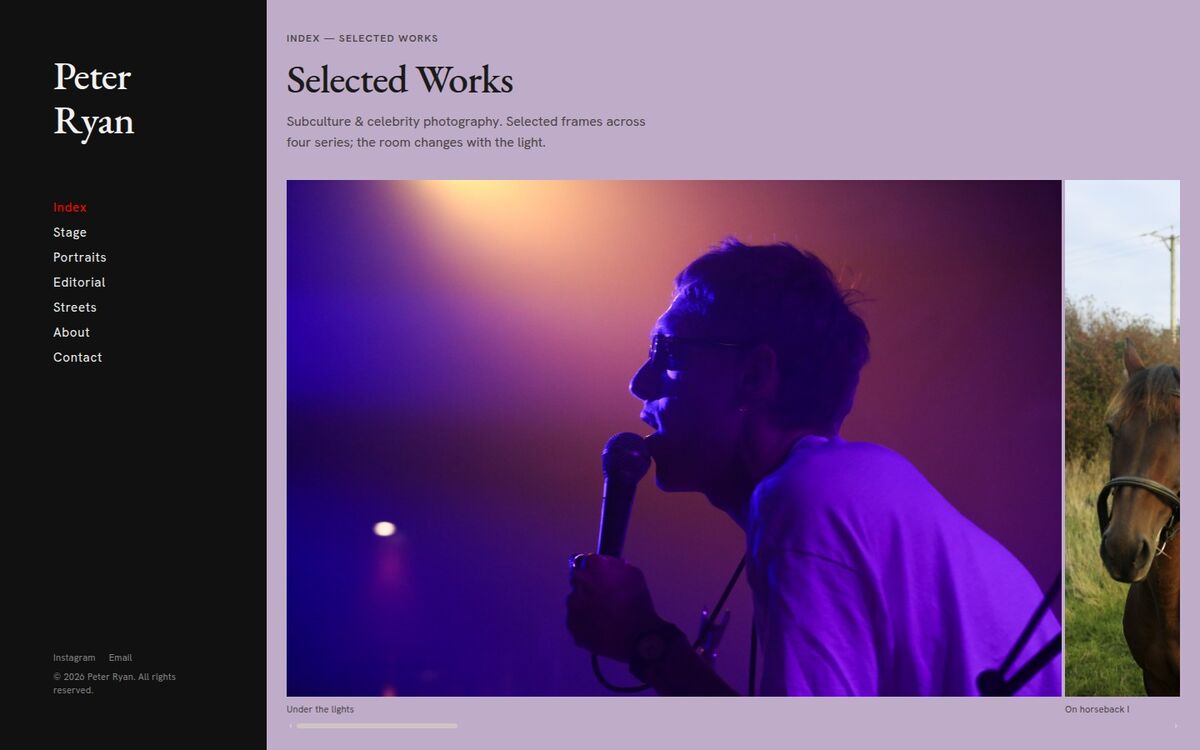
hue-realThe HUE concept meeting Peter’s actual work — and it turns out his gel-heavy photography is what the idea was waiting for. Nine real frames drive the room: vivid purple around the singer, gold around the horseback story, terracotta around the red jacket.
- Reel rebuilt from nine real frames, true dominant colors
- All four series with the real photographs
- Same scroll-reactive tint mechanics as versions 03–04
Version 08 — the whole room
Immersive Hue
July 9 · branch
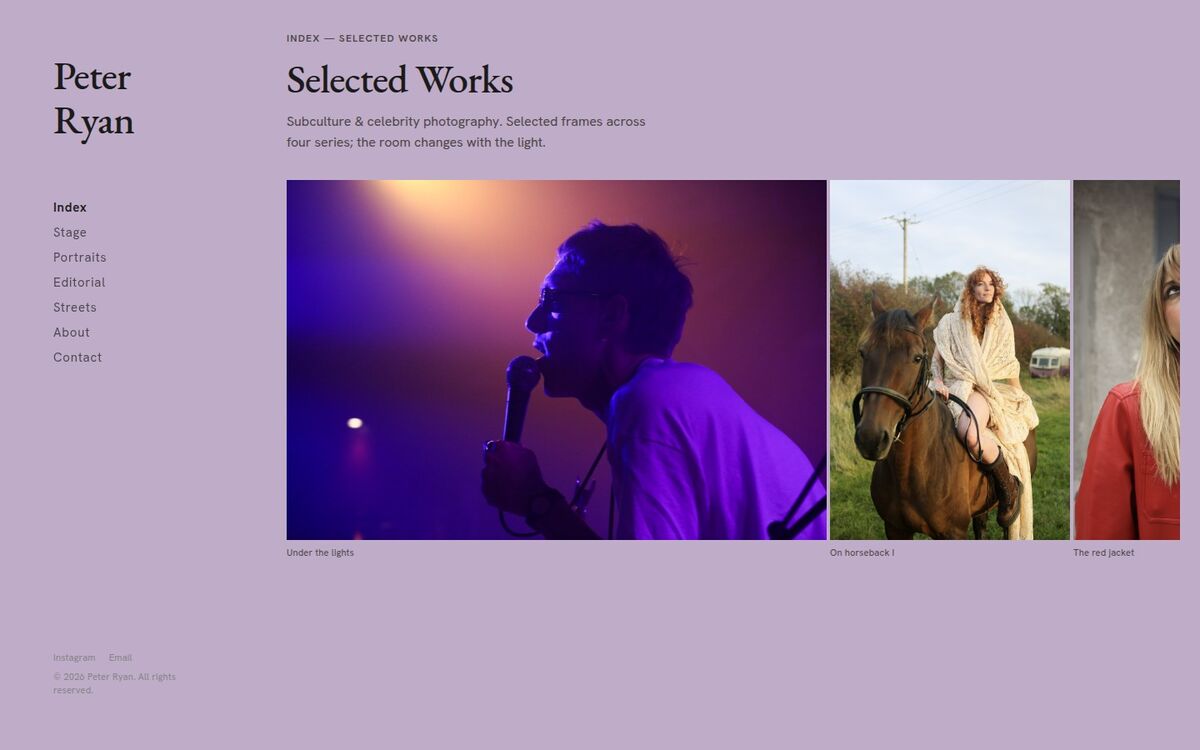
hue-immersiveThe tint stops at nothing: the sidebar joins the color of the current frame, so the entire window becomes one breathing room. Text flips black or white to stay legible against each tint, frames sit smaller in more air, and the scrollbar is gone entirely.
- Sidebar and canvas share one hue, fading together
- Luminance-aware ink — black on light tints, white on dark
- Frames at 70% height; hidden scrollbars
Version 09 — one frame per shoot
Shoot Zoom
July 9 · branch
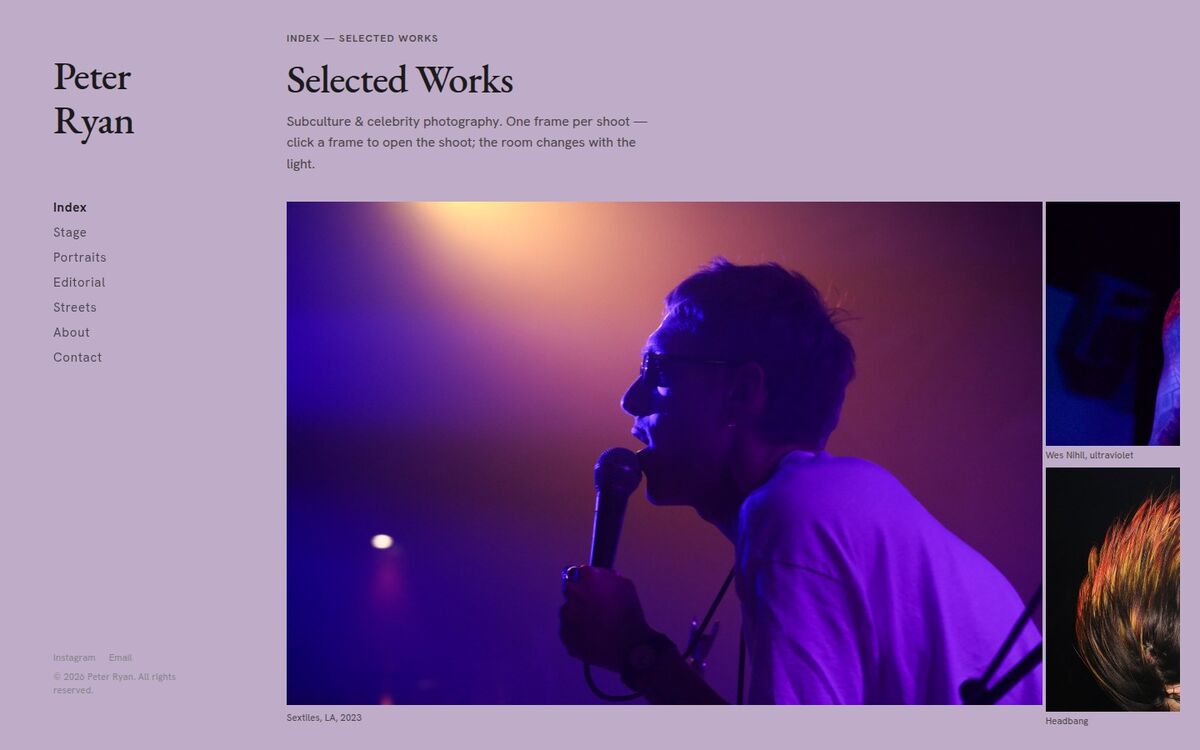
shoot-zoomEvery index frame now stands for one shoot, credited “subject, place, year” (Sextiles, LA, 2023). Click a frame and it expands to fill the whole screen, then zooms back out into the opened shoot — the frame as full-height hero, the rest of the shoot stacked two per slot beside it.
- Fullscreen expand → zoom-out reveal on click
- Shoot credits on every frame; escape or re-click to close
- Builds on Immersive Hue — tinted room, hidden scrollbars
Version 12 — the pause, monochrome
Dwell, Monochrome
July 12 · branch
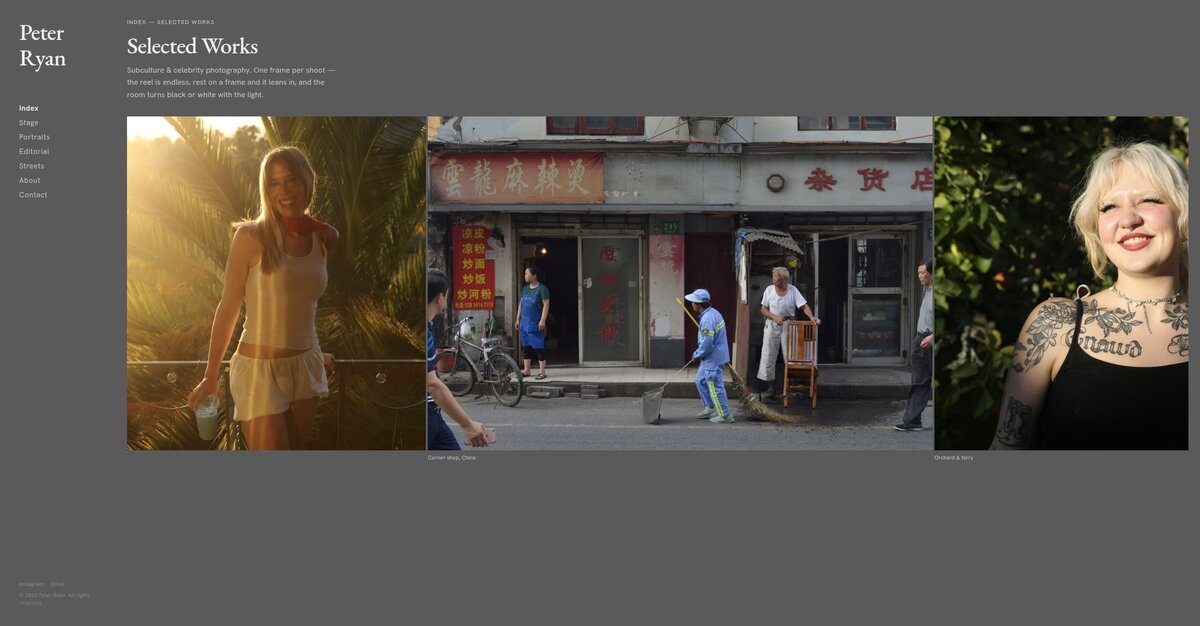
dwell-monoThe reel becomes endless — scroll either way and it loops on itself. Rest on any frame and it slowly leans in while the room strips all color: the background sweeps the full black-to-white scale from the frame's light, dark stagework plunging the whole window near-black.
- Endless reel — loops seamlessly in both directions
- Pause or hover on a frame → slow lean-in (scroll pulls it back)
- Monochrome room: black ↔ white background, no chroma
Version 13 — the pause, in color
Dwell, in Color
July 12 · branch
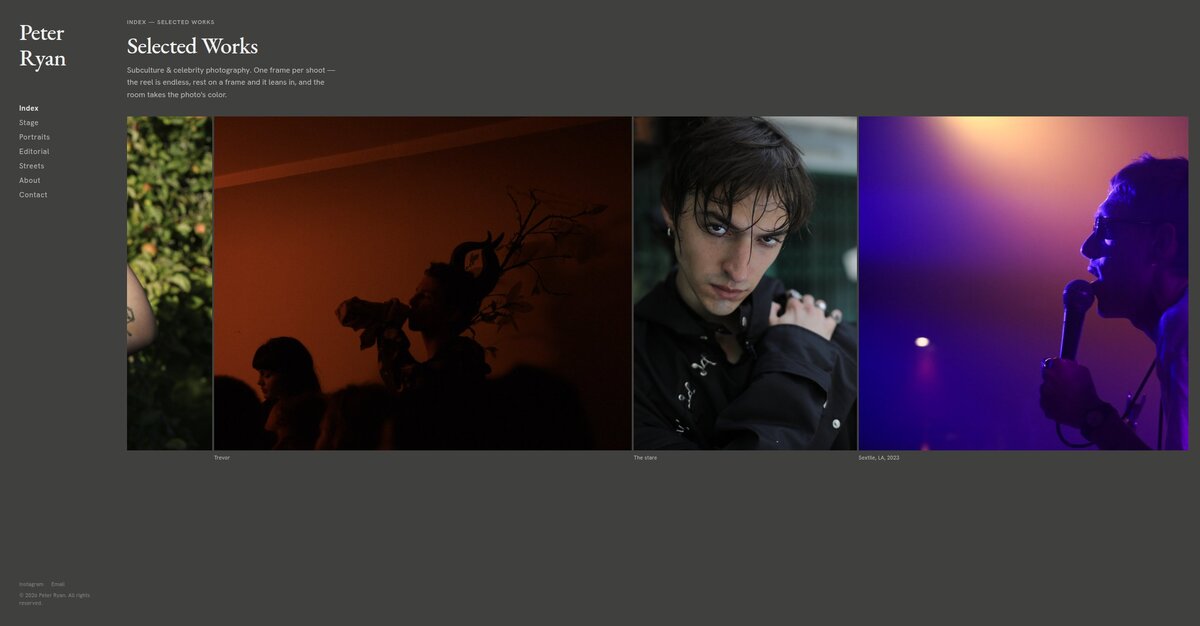
dwell-colorThe color answer to version 12: same endless reel, same lean-in on rest — but the room takes the photo's color almost outright, Sextile purple flooding the whole window. Twelve and thirteen are a direct A/B: monochrome room versus full-color room.
- Endless reel — loops seamlessly in both directions
- Pause or hover on a frame → slow lean-in (scroll pulls it back)
- Full-color room: background is 90% the photo's own color